
What Are Core Web Vitals? A Complete Guide to Core Web Vitals and SEO
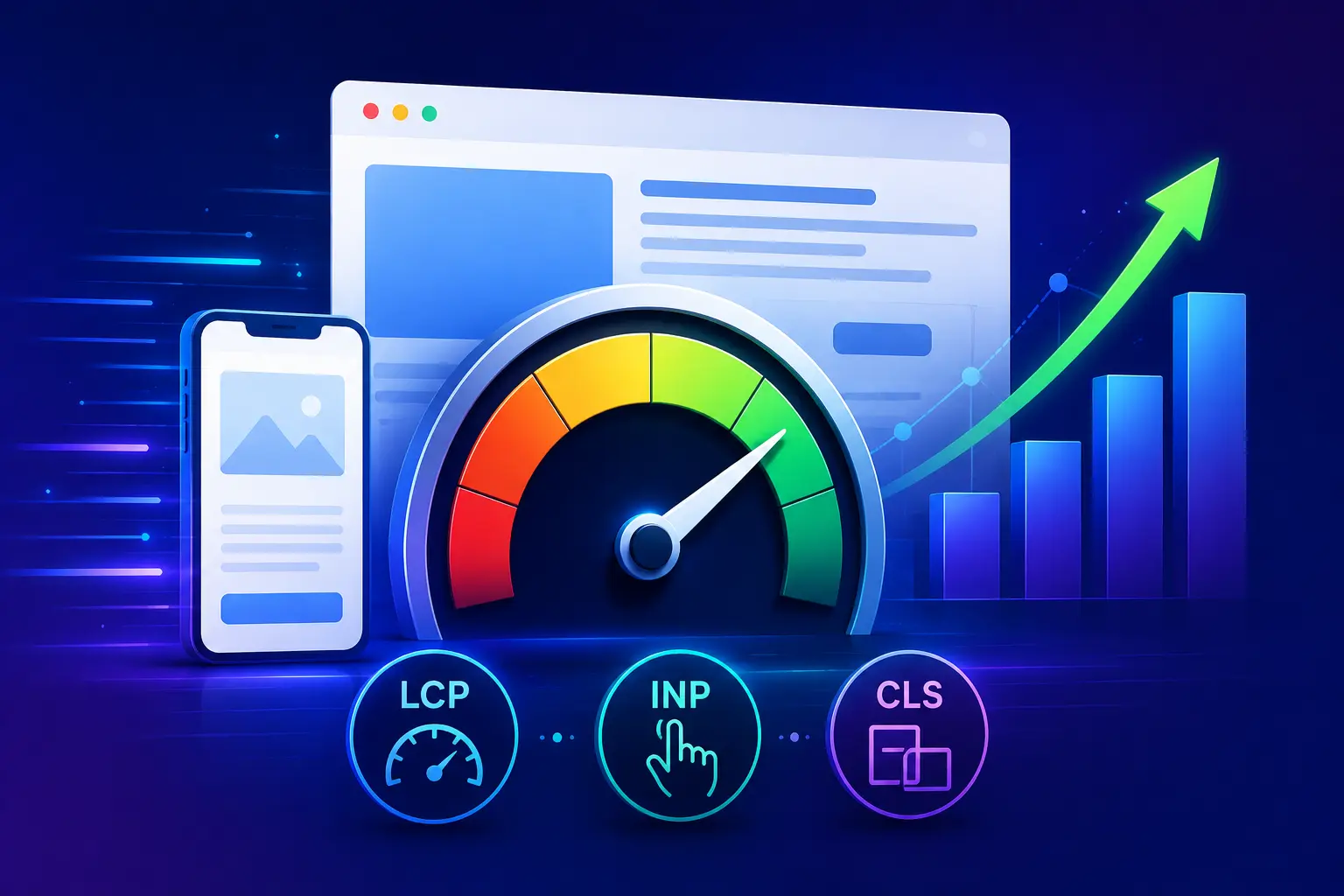
Core Web Vitals are a set of performance metrics that Google uses to evaluate important aspects of a webpage's user experience.
They focus on three major areas:
How quickly the main content loads
How quickly a page responds to user interaction
How stable the page remains while loading
For website owners, marketers, and SEO professionals, Core Web Vitals are important because a fast, stable, and responsive website creates a better experience for visitors. For law firms, website performance can be particularly important. A potential client searching for a lawyer may leave a slow or difficult-to-use website before reading the content or contacting the firm.
This guide explains what Core Web Vitals are, what each metric measures, Google's current thresholds, how to check them, what causes poor scores, how to improve them, and how they fit into a broader SEO strategy.
What Are Core Web Vitals?
Core Web Vitals are a group of user-experience metrics designed to measure important aspects of real-world website performance.
The current Core Web Vitals focus on three metrics:
Largest Contentful Paint (LCP) — loading performance
Interaction to Next Paint (INP) — responsiveness
Cumulative Layout Shift (CLS) — visual stability
Each metric measures a different part of the user's experience. A website can have excellent content and strong backlinks, but if the pages are extremely slow, difficult to interact with, or constantly shifting while loading, visitors may have a poor experience. Core Web Vitals help website owners identify these types of problems.
What Are the Three Core Web Vitals?
1. Largest Contentful Paint (LCP)
LCP measures how quickly the largest visible content element in the viewport becomes rendered. In simple terms, it answers: How quickly does the main content of the page appear?
The largest element could be:
A large image
A hero image
A video poster image
A large heading
A block of text
For example, imagine a law firm's homepage has a large hero section with a headline and image. If that main content takes too long to appear, visitors may perceive the page as slow.
LCP Thresholds
Google generally evaluates LCP using these thresholds:
LCP | Evaluation |
2.5 seconds or less | Good |
More than 2.5 to 4 seconds | Needs improvement |
More than 4 seconds | Poor |
The goal is to keep the largest content element loading within the good range for as many real users as possible.
What Causes Poor LCP?
Several technical problems can contribute to a slow LCP. Common causes include:
Slow server response time
Large images
Unoptimized hero images
Render-blocking CSS
Render-blocking JavaScript
Slow hosting
Excessive third-party scripts
Poor caching
Unoptimized fonts
Client-side rendering delays
A large hero image is a particularly common issue.
For example, if a law firm's homepage loads a 5 MB image above the fold, the browser may spend unnecessary time downloading and processing it. Reducing the image size and serving an appropriately sized modern image format can improve loading performance.
How to Improve LCP
Optimize Images
Compress large images and use modern formats like WebP or AVIF to reduce file sizes. Properly optimized images help important visual content load faster and improve the overall user experience.
Improve Server Response Time
Use reliable hosting, optimize backend processes, and improve server configuration to reduce response delays. A faster server helps deliver HTML content quickly and improves the time users see the main page elements.
Use Browser and Server Caching
Caching stores frequently accessed files and resources, allowing returning visitors to load pages faster. Proper browser and server caching reduces repeated requests and improves website loading efficiency.
Reduce Render-Blocking Resources
Optimize CSS and JavaScript files by removing unnecessary code and delaying non-critical scripts. This helps browsers display important content faster without waiting for additional resources to load.
Optimize Fonts
Use compressed font files, limit unnecessary font variations, and apply efficient loading methods. Proper font optimization prevents delays in displaying text and improves the speed of visible page content.
Preload Important Resources Carefully
Preload only essential resources such as critical images, fonts, or stylesheets that impact initial visibility. Excessive preloading can consume resources and slow down other important page elements.
2. Interaction to Next Paint (INP)
Interaction to Next Paint (INP) measures how responsive a page is to user interactions. It replaced First Input Delay (FID) as a Core Web Vital in March 2024.
INP looks at interactions such as:
Clicking a button
Selecting a menu
Typing into a form
Opening navigation
Using interactive elements
The basic question is: After a visitor interacts with the page, how quickly does the page respond visually? A page may appear to load quickly but still feel slow if JavaScript blocks interactions.
INP Thresholds
Google's current thresholds are:
INP | Evaluation |
200 milliseconds or less | Good |
More than 200 to 500 milliseconds | Needs improvement |
More than 500 milliseconds | Poor |
Lower interaction latency generally creates a more responsive experience.
What Causes Poor INP?
Poor INP is often associated with excessive JavaScript work. Potential causes include:
Large JavaScript files
Long-running scripts
Heavy third-party tools
Complex event handlers
Excessive DOM manipulation
Poorly optimized frameworks
Main-thread blocking
For example, a law firm website may use several marketing and tracking tools. Each additional script can add processing work. If too much JavaScript executes during an interaction, the browser may be unable to respond quickly.
How to Improve INP
Reduce JavaScript: Remove unnecessary scripts and functionality.
Break Up Long Tasks: Long-running tasks can block the browser's main thread. Breaking them into smaller tasks can improve responsiveness.
Reduce Third-Party Scripts
Review:
Analytics
Advertising scripts
Chat widgets
Social media embeds
Tracking tools
Marketing automation scripts
Only keep tools that provide meaningful value.
Optimize Event Handlers: Interactive elements should perform only the work necessary to respond to the user's action.
Reduce DOM Complexity: Very large or complicated page structures can increase browser workload.
3. Cumulative Layout Shift (CLS)
Cumulative Layout Shift (CLS) measures visual stability.
It answers:
Does the page unexpectedly move while the visitor is using it?
Imagine someone is about to click a "Contact Us" button. Suddenly, an image loads above the button. The button moves downward. The visitor accidentally clicks another element. That is a poor user experience. CLS helps identify this type of instability.
CLS Thresholds
Google generally evaluates CLS using these ranges:
CLS | Evaluation |
0.1 or less | Good |
More than 0.1 to 0.25 | Needs improvement |
More than 0.25 | Poor |
What Causes Poor CLS?
Common causes include:
Images without defined dimensions
Ads that dynamically insert content
Web fonts changing text layout
Dynamically injected content
Late-loading banners
Unstable embeds
Elements inserted above existing content
For example, if an image does not reserve enough space before loading, the browser may initially render the surrounding text and then move it when the image appears.
How to Improve CLS
Set Image Dimensions
Specify accurate width and height attributes for images so browsers can reserve the required space before loading. This prevents sudden layout shifts and keeps page content visually stable.
Reserve Space for Ads
If your website displays advertisements, reserve dedicated space before ads load. This prevents content from moving unexpectedly when ads appear and improves the overall browsing experience.
Avoid Unexpected Content Injection
Avoid adding large elements, banners, or sections above existing content after the page starts loading. Unexpected content changes can push important elements downward and increase layout shift scores.
Optimize Font Loading
Use proper font loading techniques, such as font-display settings and optimized font files, to prevent text from changing size or moving when custom fonts appear.
Manage Dynamic Components
Design pop-ups, banners, cookie notices, and interactive elements carefully so they do not cover or move important content. Proper placement helps maintain a stable and user-friendly page layout.
Why Are Core Web Vitals Important for SEO?
Core Web Vitals are part of Google's broader page experience signals. However, they should not be viewed as a standalone ranking formula. A page with perfect Core Web Vitals does not automatically outrank a page with weaker performance.
Google evaluates many factors, including:
Relevance
Content quality
Search intent
Page experience
Authority
Links
Technical accessibility
Mobile usability
Other search signals
Core Web Vitals are therefore best treated as an important part of technical SEO rather than the entire SEO strategy.
Are Core Web Vitals a Ranking Factor?
Core Web Vitals are incorporated into Google's page experience considerations and can contribute to how Google evaluates a site's overall user experience. However, passing Core Web Vitals does not guarantee higher rankings.
For example, suppose two websites compete for a law-related search. One has excellent Core Web Vitals but poor content. The other has slightly weaker performance but highly relevant, comprehensive, useful content. Improving performance alone does not guarantee that the first website will outrank the second. SEO requires a broader approach.
What Does "Passing Core Web Vitals" Mean?
A page is generally considered to have a good Core Web Vitals experience when it meets Google's "good" thresholds for the relevant metrics.
The current good thresholds are:
LCP: 2.5 seconds or less
INP: 200 milliseconds or less
CLS: 0.1 or less
Google's reporting commonly evaluates these metrics at the 75th percentile of page loads or interactions.This means performance should not be judged only by testing one device or one internet connection.
Real-world users may have:
Different devices
Different browsers
Different network speeds
Different geographic locations
Different hardware capabilities
Lab Data vs. Field Data
One of the most important concepts in Core Web Vitals is the difference between lab data and field data.
What Is Lab Data?
Lab data comes from controlled testing environments. Tools simulate a particular device and network configuration to estimate performance. Examples include:
Lighthouse
Chrome DevTools
PageSpeed Insights lab testing
Lab data is useful for diagnosing technical problems.
What Is Field Data?
Field data comes from real users. It reflects actual experiences across different:
Devices
Locations
Networks
Browsers
Hardware
Real-user data is particularly important because your website may perform differently for different audiences.
What Is CrUX?
Chrome User Experience Report (CrUX) is Google's public dataset of real-world Chrome user experience data. CrUX provides field data for eligible websites and helps power performance information in tools such as PageSpeed Insights. It can provide insight into how real users experience a website.
How to Check Core Web Vitals
Several tools can help you evaluate website performance.
Google PageSpeed Insights
PageSpeed Insights provides both lab and, when available, field data. It can report:
LCP
INP
CLS
Other performance metrics
Optimization opportunities
Diagnostics
Google Search Console
Google Search Console includes a Core Web Vitals report that can help website owners identify groups of URLs with performance issues. The report can categorize pages as:
Good
Needs improvement
Poor
This makes it useful for identifying patterns across a website rather than testing only one page.
Lighthouse
Lighthouse is an open-source tool for auditing web pages. It can evaluate:
Performance
Accessibility
SEO
Best practices
Chrome DevTools
Chrome DevTools provides detailed technical information that developers can use to investigate performance problems.
Core Web Vitals vs. Other PageSpeed Metrics
Core Web Vitals are not the only performance metrics. You may also encounter:
First Contentful Paint (FCP)
Time to First Byte (TTFB)
Speed Index
Total Blocking Time (TBT)
These metrics provide additional diagnostic information.
For example:
FCP measures when the first piece of content is rendered.
TTFB measures how quickly the browser receives the first byte of the server response.
TBT is primarily a lab metric used to understand main-thread blocking.
These metrics can help diagnose why Core Web Vitals are poor, even though they are not all Core Web Vitals themselves.
What Is the Difference Between LCP and FCP?
Metric | Description | Example |
FCP (First Contentful Paint) | FCP measures the time when the first visible content element appears on a webpage, such as text, an image, or a logo. It shows how quickly users see the initial page response. | A website logo appears immediately after loading, improving the FCP score. |
LCP (Largest Contentful Paint) | LCP measures the time when the largest visible content element loads, such as a main headline, hero image, or large banner. It indicates when the primary page content becomes visible. | A hero image or main headline takes several seconds to load, causing a poor LCP score. |
Key Difference:
A website can have a good FCP but still have a poor LCP. For example, a small logo may appear quickly, improving FCP, while the main content takes longer to load, negatively affecting LCP. A strong user experience requires both fast initial content and quick loading of the main page element.
What Is the Difference Between INP and FID?
Metric | Description | Example |
FID (First Input Delay) | FID measured the delay between a user's first interaction with a page and the moment the browser starts processing that interaction. It mainly focused on the first click or tap experience. | A user clicks a button for the first time, and FID measures how quickly the browser begins responding. |
INP (Interaction to Next Paint) | INP measures the overall responsiveness of a webpage by analyzing multiple user interactions throughout the entire page experience, not just the first interaction. | A website is evaluated on how quickly it responds to clicks, taps, and keyboard actions across the full browsing session. |
Key Difference:
INP replaced FID as a Core Web Vital in March 2024 because it provides a more complete view of website responsiveness. Website owners should now focus on improving all user interactions instead of only optimizing the first page interaction.
What Is the Difference Between CLS and Visual Stability?
Term | Description | Example |
CLS (Cumulative Layout Shift) | CLS is a specific Core Web Vital metric that measures unexpected movement of page elements while a website loads. It focuses on how much content shifts without user action. | A button moves suddenly after loading because an image or advertisement appears, causing users to click the wrong element. |
Visual Stability | Visual stability is the broader concept of keeping a webpage layout consistent and predictable during the entire user experience. CLS is one measurement used to evaluate this stability. | Text, images, buttons, and menus remain in their expected positions without sudden changes while users browse the page. |
Key Difference:
CLS measures the amount of unexpected layout movement, while visual stability refers to the overall experience of having a predictable and consistent webpage. A website needs more than fast loading; it should also provide stable layouts, smooth interactions, and responsive controls for better usability.
How to Improve Core Web Vitals
Improving Core Web Vitals usually requires a combination of technical changes.
Step 1: Identify the Problem: Use tools such as Search Console and PageSpeed Insights to determine which metrics are failing.
Step 2: Identify Affected Templates: If many pages have the same issue, the problem may exist at the template or site-wide level.
Step 3: Optimize Images: Compress and properly size important images.
Step 4: Improve Server Performance
Evaluate:
Hosting
Server configuration
Database performance
Caching
CDN usage
Step 5: Reduce JavaScript: Remove unnecessary scripts and reduce main-thread work.
Step 6: Optimize CSS: Reduce unnecessary CSS and prioritize critical rendering resources.
Step 7: Fix Layout Shifts: Reserve space for images, embeds, advertisements, and dynamic components.
Step 8: Test Again: After making changes, test again to determine whether the changes improved real performance.
Core Web Vitals for Mobile Websites
Mobile performance deserves special attention. Mobile users may experience:
Slower networks
Less powerful processors
Smaller screens
Different interaction patterns
A website that feels fast on a powerful desktop computer may perform poorly on a mobile device. For law firms, this matters because potential clients often search for services from mobile devices. A mobile-friendly website should therefore be:
Fast
Responsive
Easy to navigate
Stable while loading
Simple to interact with
Easy to contact
Core Web Vitals for Law Firm Websites
Law firm websites often contain elements that can affect performance, including:
Large hero images.
Attorney profile images.
Practice-area pages.
Contact forms.
Chat widgets.
Analytics tools.
Review widgets.
Maps.
Videos.
Tracking scripts.
These features can be useful, but they should be implemented carefully.
For example, a law firm's homepage may contain a large attorney photo, several testimonials, a video, a chat widget, and multiple tracking scripts. If all of these resources load immediately, they may increase page weight and browser workload. The goal is not to remove useful features. The goal is to deliver them efficiently.
Core Web Vitals and Law Firm SEO
Technical performance should be part of a broader law firm SEO strategy. A strong law firm website should combine:
Technical SEO.
On-page SEO.
Local SEO.
Useful content.
Internal linking.
Strong website architecture.
Quality backlinks.
Conversion optimization.
Good user experience.
Core Web Vitals fit primarily within technical SEO and page experience. Improving them can make it easier for visitors to use the website, but performance optimization should not come at the expense of useful information.
Core Web Vitals and Conversion Rate
Website speed and responsiveness can influence how visitors interact with a website. For a law firm, important conversion actions may include:
Calling the firm.
Submitting a consultation form.
Clicking an email address.
Reading a practice-area page.
Requesting a consultation.
Opening contact information.
If a page is slow or buttons are difficult to use, visitors may abandon the website before completing an action. Therefore, Core Web Vitals should be considered not only as technical metrics but also as part of the overall user experience.
Should You Focus Only on Core Web Vitals?
No. Core Web Vitals are important, but they are not a complete SEO strategy. A website can pass all three metrics and still have:
Poor content.
Weak search intent alignment.
Poor keyword targeting.
Weak internal linking.
No local visibility.
Poor conversion paths.
Weak authority.
Technical indexing problems.
Likewise, a page that does not meet every threshold is not automatically incapable of ranking. The best approach is to improve performance while continuing to optimize the entire website.
Common Core Web Vitals Mistakes
Mistake 1: Testing Only One Page
Checking only the homepage can hide performance issues on service pages, blogs, or landing pages. Test different page types to get accurate results.
Mistake 2: Testing Only on Desktop
Desktop scores do not always represent mobile performance. Since many users browse on mobile devices, always test and optimize mobile experiences.
Mistake 3: Focusing Only on a Perfect Score
A perfect score is not the main goal. The priority should be creating a fast, stable, and user-friendly website experience.
Mistake 4: Removing Useful Features Without Analysis
Removing scripts, images, or features without proper evaluation can hurt functionality. Analyze their impact before making performance changes.
Mistake 5: Ignoring Field Data
Real user data shows how visitors experience your website in different conditions. Use field data alongside lab tests for better optimization decisions.
Mistake 6: Optimizing Only for SEO
Website performance should improve user experience first. Faster pages, smooth interactions, and better usability benefit both visitors and search visibility.
Core Web Vitals Checklist
Use this checklist to review website performance, identify issues, and improve loading speed, responsiveness, and visual stability for a better user experience.
Core Web Vitals Checklist
Use this checklist when reviewing a website:
Check LCP.
Check INP.
Check CLS.
Review mobile performance.
Review field data.
Check large images.
Review JavaScript.
Review third-party scripts.
Check server response time.
Review caching.
Check font loading.
Reserve space for images.
Test important templates.
Review Search Console.
Test after optimization.
Frequently Asked Questions
What is a good LCP score?
A good Largest Contentful Paint (LCP) score is 2.5 seconds or less. This means the main content of a webpage loads quickly, helping users access important information faster and improving overall page experience. For a law firm website, a fast LCP can help visitors quickly find practice areas, attorney information, contact details, and consultation options without waiting for the page to load.
What is a good INP score?
A good Interaction to Next Paint (INP) score is 200 milliseconds or less. A lower INP indicates that a website responds quickly when users click, tap, or interact with page elements. This is especially important for law firm websites with contact forms, navigation menus, appointment buttons, and other interactive features that potential clients may use while looking for legal assistance.
What is a good CLS score?
A good Cumulative Layout Shift (CLS) score is 0.1 or less. This means the page remains visually stable while loading, preventing unexpected movements that can frustrate users. Stable layouts make it easier for visitors to read legal information, navigate service pages, click buttons, and complete contact forms without accidentally selecting the wrong element because content shifts unexpectedly.
Did INP replace FID?
Yes, Interaction to Next Paint (INP) replaced First Input Delay (FID) as a Core Web Vital in March 2024. INP provides a more complete measurement of overall website interaction responsiveness.
How can I check Core Web Vitals?
You can check Core Web Vitals using several reliable tools:
Google PageSpeed Insights: Check LCP, INP, CLS, and other performance metrics for individual pages.
Google Search Console: Monitor Core Web Vitals across groups of URLs and identify pages with performance issues.
Lighthouse: Run detailed performance and SEO audits directly in Chrome or through developer tools.
Chrome DevTools: Analyze page performance and identify specific elements that may affect loading speed, responsiveness, or visual stability.
Regular monitoring: Review your Core Web Vitals regularly to catch performance problems early and maintain a fast, user-friendly website for potential law firm clients.
Are Core Web Vitals a ranking factor?
Core Web Vitals are included in Google's page experience signals and can influence search performance. However, passing these metrics alone does not guarantee higher rankings because Google considers many other SEO factors. Law firms should also focus on helpful content, relevant keywords, search intent, backlinks, technical SEO, local SEO, mobile usability, and overall website quality when competing for visibility in search results.
What causes poor Core Web Vitals?
Poor Core Web Vitals can result from several technical and design issues, including:
Large image files: Uncompressed or oversized images can increase page loading time and negatively affect LCP.
Slow hosting servers: Poor server response times can delay the delivery of important page content.
Excessive JavaScript: Too much JavaScript can make pages slower to load and less responsive to user interactions.
Third-party scripts: Chat widgets, tracking tools, ads, and other external scripts can affect website performance.
Delayed loading resources: Important content may load slowly when resources are not prioritized properly.
Weak caching systems: Poor caching can force browsers to repeatedly download the same resources.
Layout shifts: Images, ads, fonts, or other elements without defined dimensions can cause unexpected movement and increase CLS.
Inefficient website structure: Poorly organized code, plugins, and page elements can make websites slower and harder for users to interact with.
Can Core Web Vitals affect law firm SEO?
Core Web Vitals can support better user experience and are part of Google's page experience evaluation. For law firms, a fast and responsive website can help potential clients find information, read services, and contact the firm more easily.
Do Core Web Vitals matter on mobile?
Yes, Core Web Vitals are especially important for mobile users because they often browse on slower networks and smaller devices. Strong mobile performance helps create a smoother experience and keeps visitors engaged with your website.
Key Takeaways
Core Web Vitals help website owners understand three important parts of user experience:
LCP measures loading performance.
INP measures interaction responsiveness.
CLS measures visual stability.
The current good thresholds are:
LCP: 2.5 seconds or less
INP: 200 milliseconds or less
CLS: 0.1 or less
However, Core Web Vitals should never be treated as the entire SEO strategy.
A successful website also needs useful content, strong technical foundations, relevant keywords, effective internal linking, authoritative backlinks, good website architecture, and a clear path for visitors to take action. For law firms, the best approach is to combine performance optimization with a comprehensive SEO strategy that helps potential clients find, understand, trust, and contact the firm.
Improve Your Law Firm Website's Technical SEO
Core Web Vitals can be difficult to diagnose when performance issues come from multiple parts of a website.
A proper technical SEO review can identify problems affecting loading speed, responsiveness, visual stability, crawling, indexing, and overall website performance. It can also uncover issues such as large image files, unnecessary scripts, mobile usability problems, broken links, and inefficient page structures that may affect both users and search engines.
At LawFirmSEO.services, Core Web Vitals can be incorporated into a broader law firm SEO strategy focused on improving organic visibility, website usability, and the path from search to consultation. A technically strong website gives potential clients a smoother experience while helping search engines better understand and access your important legal service pages.
Ready to put this to work for your firm?
We'll audit your site for free and show you exactly which pages are costing you cases.
Get a free SEO audit