
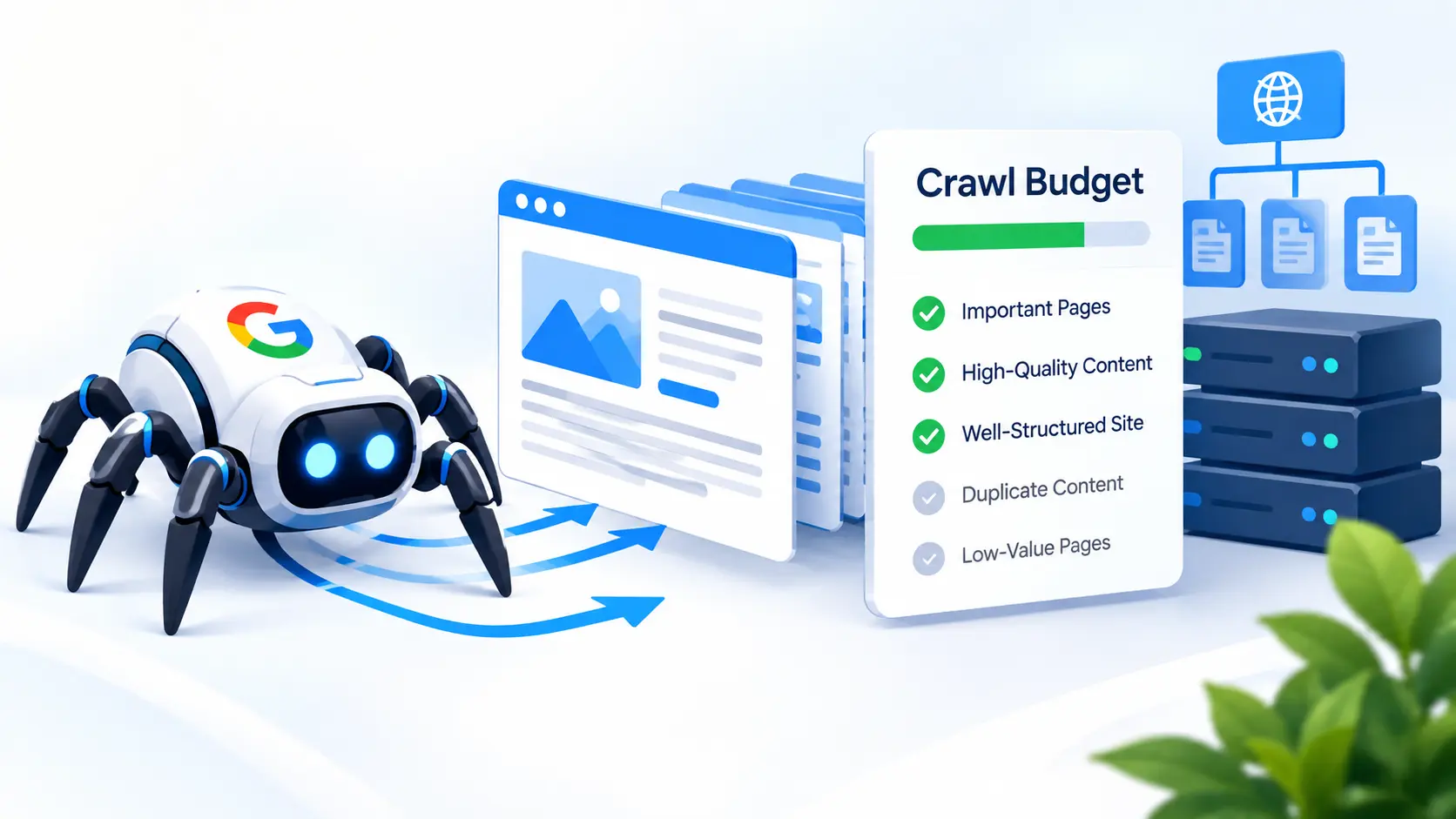
Search engines cannot treat every URL on every website exactly the same way. When a search engine visits a website, it has to decide which pages to crawl, how often to return, and how much time and resources to spend processing the site's content. This is particularly important for websites containing thousands, hundreds of thousands, or even millions of URLs.
The concept that helps explain this process is crawl budget.
Crawl budget refers to the amount of crawling resources a search engine is willing and able to spend on a particular website during a given period. It is not simply a fixed number of pages that Google assigns to every website. Instead, crawling depends on factors such as the size and health of a website, how frequently its content changes, how efficiently its server responds, and how useful or important different URLs appear to be.
A website with a few dozen or a few hundred useful pages generally does not need complicated crawl-budget management. However, understanding the concept is still valuable because problems such as duplicate URLs, unnecessary parameters, redirect chains, poor internal linking, server errors, and low-value pages can make crawling less efficient.
What Is Crawl Budget?
In simple terms, crawl budget is the amount of attention and crawling resources a search engine can reasonably dedicate to a website.
When a search engine crawler, such as Googlebot, visits your website, it requests URLs, follows links, discovers new pages, revisits existing pages, and checks whether content has changed. The crawler has to manage these activities across an enormous number of websites.
A website does not receive an unlimited number of crawling requests. Search engines try to crawl websites efficiently without putting unnecessary pressure on their servers. At the same time, they want to discover important new and updated content.
This creates a balance.
If a website has 50 useful pages and all 50 are easy to discover, accessible, and technically healthy, there is usually little reason to worry about crawl budget. But imagine another website has 500,000 URLs because of product filters, URL parameters, duplicate versions, search pages, archives, and automatically generated pages. If many of those URLs provide little unique value, the crawler may spend time requesting pages that are not important to the site's search visibility.
That is where crawl-budget optimization becomes more relevant.
How Search Engine Crawling Works
To understand crawl budget properly, it helps to understand what happens between a search engine discovering a URL and eventually showing a page in search results.
Crawling
Crawling is the process of search engine bots requesting URLs from a website.
A crawler can discover URLs through internal links, external links, XML sitemaps, previously known URLs, redirects, and other signals. After discovering a URL, the crawler may request the page to see what it contains and whether it has changed.
Crawling is therefore primarily about discovering and accessing content.
Processing and Indexing
After a page has been crawled, the search engine can process its content and determine whether it should be considered for indexing. Crawling and indexing are not the same thing. A page can be crawled but not indexed. Likewise, a URL may be known to a search engine without being immediately crawled again.
Serving Search Results
Once content has been processed and potentially indexed, search engines can use it when determining which pages may appear for relevant searches. Crawl budget therefore sits earlier in the overall process. A simplified version looks like this:
URL discovery → Crawling → Processing → Indexing → Search visibility
If search engines cannot efficiently discover or access important pages, those pages may have difficulty progressing through the rest of this process.
What Does Crawl Budget Include?
Crawl budget is commonly discussed in terms of two important concepts: crawl rate limit and crawl demand.
Crawl Rate Limit
Search engines need to avoid overwhelming websites with too many requests. A crawler therefore considers how much crawling a website can reasonably handle. If requests begin causing server performance problems, crawling may be adjusted to reduce the load.
A healthy, responsive server can generally provide a better environment for crawling than a server that frequently responds slowly or returns errors. This does not mean that every website receives a simple fixed crawl-rate number that never changes. Crawling behavior can vary depending on circumstances and search engine systems.
Crawl Demand
Search engines also need to determine whether there is a reason to crawl a URL again. If a website changes frequently, search engines may have more reason to revisit its pages. If important content has not changed for a long period, repeated crawling may be less necessary.
Popularity, freshness, perceived importance, and other signals can influence crawl demand. This is why crawl budget is not simply about how many pages a website has. A website's content, structure, update frequency, and technical condition can all influence crawling behavior.
Why Is Crawl Budget Important for SEO?
Crawl budget matters because search engines need to spend their crawling resources efficiently.
Consider a large website with 100,000 URLs. If thousands of those URLs are duplicate or low-value variations of other pages, crawlers may repeatedly encounter unnecessary URLs. This can make the site's URL environment more complicated and potentially make it harder for important content to receive efficient crawling attention.
Now consider a different website with 100,000 URLs where nearly every page is unique, useful, internally linked, and technically accessible. The crawling challenge is different. The objective is not to force search engines to crawl every URL as frequently as possible.
This is especially important when implementing law firm seo services, as the goal is to ensure that important URLs are easy to discover while unnecessary URLs do not create avoidable crawling problems. Effective law firm seo services should focus on technical SEO fundamentals rather than trying to manipulate crawler behavior.
Crawl Budget vs. Crawl Rate vs. Crawl Demand
These terms are related but should not be treated as identical.
Crawl budget describes the overall crawling resources and activity associated with a website.
Crawl rate relates to how quickly or frequently a crawler requests pages while considering the site's ability to handle those requests.
Crawl demand relates to how much reason a search engine has to crawl or revisit a site's URLs.
Understanding these differences prevents a common mistake: assuming that crawl budget is simply a daily page limit.
It is more useful to think of crawling as a dynamic process rather than a fixed quota.
Which Websites Need to Pay Attention to Crawl Budget?
Not every website needs to spend time actively managing crawl budget.
Large Websites
Websites with thousands or millions of URLs have more opportunities for crawling inefficiencies. Large publishers, marketplaces, ecommerce platforms, directories, and other expansive websites may have complex URL structures that require careful management.
Ecommerce and Faceted Navigation
Ecommerce websites can generate huge numbers of URLs through filters.
A product category might have filters for size, color, brand, price, availability, and other attributes. Combining those filters can create many URL variations, even when the underlying product collection changes very little. If search engines can access all of those combinations, the number of crawlable URLs can grow rapidly.
Frequently Updated Websites
For legal practices investing in law firm seo services, keeping important pages easy to discover is particularly valuable. A well-structured site helps search engines efficiently find service pages, practice area content, and other important resources.
Websites With Crawl Traps
Some websites accidentally create systems that allow crawlers to discover an enormous number of URLs.
Calendar navigation, endless pagination, dynamic parameters, internal search results, filter combinations, and automatically generated URL variations can all contribute to this problem.
A website with a relatively small amount of useful content can therefore still create a surprisingly large crawlable URL space.
How Search Engines Decide What to Crawl
Search engines have to prioritize crawling because the web contains an enormous number of URLs.
They can use many signals to determine what deserves attention. These can include whether a URL is already known, whether its content appears to have changed, how important the URL appears to be within the site's structure, whether other pages link to it, and how efficiently the site responds to requests. A page that is frequently updated and strongly connected to important parts of a website may have different crawling characteristics from a forgotten URL buried deep within a site's architecture.
This is especially relevant to law firm seo, where a clear site structure can help search engines discover important practice area, service, and informational pages. You should not think of an XML sitemap, canonical tag, or internal link as a command that forces Google to crawl a page. These elements provide signals and help search engines understand the site's URL structure, but crawling and indexing decisions remain under the search engine's control.
Factors That Can Affect Crawl Budget
Several technical and structural factors can influence how efficiently a website is crawled.
Website Size
The larger the website, the more URLs there are for search engines to potentially discover and process. Having many pages is not automatically a problem. The concern arises when a large number of those URLs are unnecessary, duplicated, inaccessible, or low-value.
Server Performance
A website that responds slowly or frequently produces server errors can create crawling difficulties. Search engines need to crawl websites without unnecessarily overloading them. Improving server performance can therefore contribute to a healthier crawling environment.
Duplicate URLs
Duplicate or near-duplicate URLs can increase the number of URLs search engines encounter without necessarily providing additional useful content. For example, the same page may be accessible through multiple URL variations created by parameters or different navigation paths.
For law firm seo, managing unnecessary URL duplication can help keep the site's crawlable structure simpler and make it easier for search engines to focus on important pages.
URL Parameters
Parameters can create many versions of essentially the same content. For example:
example dot com/services could potentially appear as:
example dot com/services?sort=new
examplecom/services?filter=popular
example dot com/services?view=list
If these URLs do not provide meaningful unique content, they can increase URL complexity.
Redirect Chains
Redirects are useful when URLs change, but long redirect chains create unnecessary steps. For example: URL A → URL B → URL C → URL D is less efficient than: URL A → URL D: Keeping redirects clean and minimizing unnecessary chains can make crawling more efficient.
Server Errors: Repeated 5xx server errors can prevent crawlers from successfully retrieving pages. A large number of server errors can also indicate broader technical problems that should be addressed independently of crawl budget.
Broken Internal Links
Broken links make it harder for users and search engines to navigate a website. A strong internal linking system helps crawlers discover important pages while also giving users clearer paths through the site's content.
Orphan Pages
An orphan page is a page that has little or no useful internal linking pointing toward it. Even if the page exists and is included in an XML sitemap, weak internal connections can make the overall site architecture less clear. Important pages should generally have logical connections from other relevant pages.
XML Sitemaps
A clean XML sitemap can help search engines discover important URLs. The sitemap should focus on URLs that are intended to be canonical, indexable, and useful. Filling a sitemap with thousands of irrelevant, redirected, duplicate, or non-indexable URLs reduces its usefulness.
Content Freshness
Content that changes frequently may have a greater reason to be revisited. However, constantly changing content simply to encourage crawling is not a good SEO strategy. Updates should be made because the information genuinely needs improvement or correction.
Robots.txt Rules
Robots.txt can control which URLs crawlers are allowed to request. Used properly, it can help prevent crawling of areas that do not need to be accessed. Used incorrectly, however, it can block important content and resources. This makes robots.txt a tool that should be handled carefully rather than treated as a simple crawl-budget switch.
Does Crawl Budget Affect Rankings?
Crawl budget is not something you should treat as a direct ranking factor.
Google does not rank a page higher simply because a website receives more crawling. The more important issue is what happens when important pages cannot be discovered, crawled, processed, or indexed effectively.
For example, suppose a law firm publishes an important page targeting a valuable service, but the page is buried behind poor navigation, blocked by an incorrect robots.txt rule, or repeatedly fails to load. The problem is not that the page has a low "crawl budget score." The problem is that search engines may have difficulty accessing or understanding the page.
For law firm seo, this means technical issues that interfere with crawling can indirectly reduce organic visibility, even though crawl budget itself is not a ranking factor.
Crawl Budget for a Websites
Most websites are relatively small compared with large ecommerce platforms, publishers, and enterprise websites. A typical firm might have service pages, location pages, lawyer profiles, FAQs, blog articles, contact pages, and other supporting content.
For a site with a manageable number of high-quality URLs, crawl budget is usually not the first technical SEO issue to investigate. Instead, law firm seo should focus on making the site easy for search engines to understand and navigate.
A well-structured website should have clear relationships between its major sections. Practice-area pages should be connected to relevant supporting content. Location pages should not be unnecessarily duplicated. Important pages should be accessible through sensible navigation. XML sitemaps should remain clean, and unnecessary URL variations should be controlled.
When Crawl Budget Becomes More Relevant
Crawl management becomes more important when a firm's website grows substantially. For example, imagine a firm creates hundreds of location pages, dozens of practice-area pages, attorney profile pages, resource archives, tag pages, and automatically generated combinations of services and locations.
If many of those URLs provide little unique value, the site can develop a large crawlable URL space. At that point, the SEO strategy should examine which URLs genuinely need to exist, which should be canonicalized, which should be prevented from crawling where appropriate, and which should remain easily accessible and indexable.
How to Check Crawl Activity
If you want to understand how Google is crawling a website, there are several useful sources of information.
Google Search Console
Google Search Console includes a Crawl Stats report for eligible properties. It can provide information about Googlebot activity, including crawl requests, response types, file types, crawl purpose, and host status. This can help identify unusual patterns such as sudden increases in server errors or changes in crawling activity.
However, crawl statistics should not be confused with indexing reports. A URL being crawled does not automatically mean it has been indexed.
Server Logs
Server logs can provide a much more detailed view of requests reaching your website. They can show which URLs were requested, when requests occurred, which user agents made them, and what response codes were returned.
For large websites, log analysis can be particularly useful because it can reveal whether crawlers are spending significant time on URLs that provide little value.
Technical SEO Crawlers
SEO crawling tools can also help identify duplicate URLs, redirects, broken links, canonical issues, and other structural problems. These tools are useful for diagnosing the website from a technical perspective, including issues that may affect your conversion rate performance, although their crawl of your site is not the same thing as Google's actual crawl activity.
How to Optimize Crawl Budget
Crawl-budget optimization is mostly about removing unnecessary obstacles and improving the structure of a website.
Improve Server Performance
Make sure the server can consistently respond to requests without unnecessary delays or frequent failures. A technically healthy server creates a better environment for both users and search engine crawlers.
Fix Broken Links
Review internal links regularly and correct links pointing to pages that no longer exist. A clean internal linking structure helps both users and crawlers move through the site more efficiently.
Reduce Redirect Chains
When a URL needs to redirect, whenever possible, make the destination direct rather than passing through several intermediate URLs.
Control Duplicate URLs
Identify URL variations that show substantially the same content and determine whether they are genuinely necessary. Where appropriate, use canonicalization and other technical controls to clarify the preferred URL.
Avoid Crawl Traps
Look for systems that can generate practically unlimited URL combinations. Filters, calendars, internal search pages, parameters, and other dynamic systems should be reviewed carefully when they create large numbers of low-value URLs.
Manage Faceted Navigation
If a website uses filters, determine which filter combinations have genuine search value and which simply create unnecessary URL variations. Not every possible combination needs to be crawlable or indexable.
Use Robots.txt Carefully
Robots.txt can prevent crawling of selected areas, but it should not be used blindly.
Blocking an important page can prevent crawlers from accessing it. Blocking a URL also does not necessarily mean the URL will disappear from search results because search engines may learn about the URL through other sources.
Maintain a Clean XML Sitemap
Include important URLs that you want search engines to discover and potentially index. Remove obsolete URLs, redirects, duplicate URLs, and URLs that are not intended for indexing.
Improve Internal Linking
Internal links help search engines discover pages and understand how different parts of the website relate to each other. Important pages should not be isolated from the rest of the site's structure.
Remove Unnecessary Low-Value Pages
If a website contains large numbers of automatically generated pages that provide little value to users, evaluate whether those pages need to exist at all. Sometimes the best crawl-budget optimization is not creating unnecessary URLs in the first place.
Robots.txt and Crawl Budget
Robots.txt is often misunderstood. A robots.txt file can tell compliant crawlers which URL paths they should not request. This can be useful for controlling access to areas that do not need to be crawled. However, robots.txt should not be treated as a universal method for removing pages from search results.
For example, if a URL is blocked from crawling but other websites link to it, a search engine may still know that the URL exists. Because the crawler cannot access the page, it may have limited information about its content.
If a page should not appear in search results, the appropriate indexing-control method should be considered instead of assuming that a robots.txt disallow rule solves everything. It is also important not to block resources that search engines need to properly understand or render important pages.
XML Sitemaps and Crawl Budget
An XML sitemap acts as a useful discovery resource for search engines.
For a large website, a sitemap can help communicate which URLs the site considers important. But it does not force a search engine to crawl every listed URL.
A useful sitemap should generally contain URLs that are:
Canonical
Accessible
Intended for indexing
Relevant to the website
Currently available
If a sitemap contains thousands of URLs that return errors, redirect elsewhere, are blocked, or should not be indexed, the sitemap becomes less useful as a signal of the site's preferred URL set.
For a website, the sitemap should typically focus on the firm's important pages, such as relevant service pages, location pages, and valuable resources that are intended for search visibility.
Canonical Tags and Crawl Budget
Canonical tags help indicate which URL should generally be treated as the preferred version of a group of duplicate or similar URLs. However, a canonical tag is not a crawl-blocking instruction.
Search engines may still crawl duplicate URLs even when those pages specify another URL as canonical. This is an important distinction.
If your website has thousands of unnecessary duplicate URLs, simply adding canonical tags everywhere may not completely solve the underlying crawling problem. The site's architecture and URL generation system should also be examined.
Canonicalization is about consolidating URL signals and identifying the preferred version, while crawl management is about controlling unnecessary crawling opportunities and improving overall efficiency.
Noindex and Crawl Budget
A noindex directive tells search engines that a page should not be included in the search index, assuming the directive can be accessed and processed.
It is different from a robots.txt disallow rule. A noindex page may still be crawled so that the search engine can see and process the directive. Therefore, adding noindex to thousands of URLs does not necessarily eliminate the crawling associated with those URLs.
This distinction is particularly important when managing large websites.
If a website has a huge number of pages that should never be indexed or crawled, the underlying URL-generation and architecture should be reviewed rather than relying entirely on noindex.
Internal Links and Crawl Efficiency
Internal links are one of the most important ways search engines discover content within a website. A well-connected website gives crawlers logical paths between related pages.
For example, a law firm might have a main personal injury page that links to supporting pages about specific case types, FAQs, and relevant resources. Those supporting pages can then link back to the broader service page or to related content.
This structure creates relationships between pages rather than leaving each URL isolated. Good internal linking can therefore support both crawling and user navigation.
Crawl Budget and JavaScript
Modern websites can use JavaScript to create navigation, load content, display filters, and perform other functions. Search engines have become much better at processing JavaScript, but relying heavily on client-side behavior can still introduce complexity.
Important content and links should be accessible in a way that allows search engines to discover and understand them reliably. If critical navigation links or important page content only become available after complicated scripts execute, technical testing is worthwhile.
For law firm seo, simplicity is often beneficial. The more straightforward the site's underlying structure, the easier it is to diagnose crawling and indexing problems and ensure important pages remain accessible to search engines.
Crawl Budget and Website Architecture
Website architecture determines how pages are organized and connected. A logical architecture makes it easier for users and search engines to understand the relationship between different sections.
For example:
Home → Practice Areas → Personal Injury → Motorcycle Accidents
is a clearer structure than having the motorcycle accident page disconnected from the site's primary navigation and internal linking system. Good architecture can help search engines discover important pages without forcing them to navigate through unnecessary URL variations.
A clean architecture should also minimize duplicate paths, excessive URL parameters, and unnecessary layers of automatically generated pages.
Common Crawl Budget Mistakes
Treating Crawl Budget as a Ranking Factor: A larger crawl budget does not automatically mean better rankings. The goal is efficient crawling, not maximum crawling.
Blocking Important Pages With Robots.txt: An incorrectly configured robots.txt file can prevent search engines from accessing pages that are important for organic visibility.
Using Robots.txt to Remove Indexed Pages: Blocking crawling is not the same as removing a URL from the search index.
Filling Sitemaps With Unwanted URLs: A sitemap should not become a list of every URL the website has ever generated.
Creating Thousands of Low-Value Pages: Automatically generated location, tag, filter, or parameter pages can create enormous URL sets without adding meaningful value.
Ignoring Server Errors: Repeated 5xx errors can indicate a technical problem that affects both users and crawlers.
Assuming Every Indexing Problem Is a Crawl-Budget Problem: A page may fail to appear in search results because of quality, relevance, canonicalization, content, technical, or indexing reasons. Crawl budget is only one possible part of the picture.
Crawl Budget Checklist
Use this checklist when reviewing a website's crawl efficiency:
Check server response performance.
Fix recurring 5xx errors.
Resolve broken internal links.
Reduce unnecessary redirect chains.
Review duplicate URLs.
Control unnecessary URL parameters.
Examine faceted navigation.
Keep XML sitemaps accurate.
Review robots.txt rules.
Check canonical implementation.
Improve internal linking.
Identify orphan pages.
Remove unnecessary low-value URL generation.
Monitor crawl activity in available search-engine tools.
Review server logs for large websites.
Make important pages easy to discover.
Avoid blocking essential content or resources.
Investigate indexing problems separately from crawling problems.
Frequently Asked Questions
Does every website have a crawl budget?
Crawling applies to websites of all sizes, but the practical importance of crawl-budget management varies. Small websites generally have little reason to worry about crawl limitations because search engines can usually discover their important pages without difficulty. Very large, frequently updated, or technically complex websites may need more deliberate crawl management.
Does crawl budget affect rankings?
Crawl budget itself should not be treated as a direct ranking factor. However, serious crawling, accessibility, or technical problems can prevent important pages from being discovered, processed, or indexed effectively. When valuable pages are not properly crawled and indexed, their ability to appear in relevant search results can be affected indirectly.
How can I see how Google crawls my website?
Google Search Console's Crawl Stats report can provide information about Googlebot activity for eligible properties. It can show details about crawling requests, response codes, and other activity. For a deeper analysis, server logs can provide more detailed information about individual crawler requests and the URLs Googlebot attempts to access.
Does robots.txt improve crawl budget?
Robots.txt can help prevent crawlers from accessing areas that do not need to be crawled, which may make crawling more efficient. However, it must be used carefully. Incorrect rules can block important content, and robots.txt is not a universal method for removing pages from Google's search results.
Is noindex the same as disallow?
No. noindex and disallow serve different purposes. A noindex directive tells search engines that a page should not be included in search results, while robots.txt controls whether crawlers should request a URL path. Because they work differently, one should not automatically be used as a replacement for the other.
Do XML sitemaps increase crawl budget?
An XML sitemap does not simply increase a website's crawl allowance. Instead, it helps search engines discover URLs and understand which pages the website considers important. A well-maintained sitemap can make URL discovery more efficient, particularly when a website has many pages, recently published content, or pages that are difficult to reach through internal links.
Do redirects waste crawl budget?
Unnecessary redirects can create additional crawling requests and make a website's URL structure less efficient. Long redirect chains can create even more unnecessary steps for crawlers. Keeping redirects direct and purposeful is generally preferable. Website owners should regularly review redirects and remove outdated or unnecessary ones when possible.
How often does Google crawl a website?
There is no single fixed crawling frequency that applies to every website. Google may crawl some websites frequently and others less often. Crawling can vary depending on factors such as website size, content changes, server performance, update patterns, URL availability, and Google's own crawling systems.
Can a website have too many pages?
A website can have a very large number of pages, but page quantity alone is not automatically a problem. The bigger concern is whether those pages provide useful, unique value and whether the website can manage them effectively. Large numbers of low-value, duplicate, or unnecessary URLs can create unnecessary crawling and indexing challenges.
How can I improve crawl budget?
Focus on efficient website architecture, strong internal linking, clean XML sitemaps, reliable server performance, fewer unnecessary URLs, proper redirects, controlled URL parameters, and appropriate crawl directives. You should also fix technical errors that make crawling difficult. For larger websites, regularly reviewing crawl activity and server logs can help identify inefficient areas.
Key Takeaways
Crawl budget is an important technical SEO concept, especially for large and complex websites. It describes how search engines manage crawling resources across a website rather than representing a simple fixed number of pages that Google promises to crawl each day.
The most important lessons are:
Crawl budget relates to how search engines allocate crawling resources.
Crawl rate and crawl demand are important parts of understanding crawling.
Large websites with thousands or millions of URLs may need more careful management.
Duplicate URLs, parameters, filters, redirect chains, errors, and low-value pages can create unnecessary crawling complexity.
XML sitemaps help with URL discovery but do not force crawling.
Canonical tags help identify preferred URLs but do not block crawling.
noindex and robots.txt serve different purposes.
Strong internal linking helps search engines discover important content.
Crawl budget itself should not be treated as a direct ranking factor.
Technical SEO problems should be diagnosed carefully rather than automatically blamed on crawl budget.
Final Thoughts
Crawl budget is often discussed as though every website needs to fight for Google's attention, but that is not how most websites should approach SEO.
The priority should be creating a technically healthy website with valuable content, logical architecture, strong internal linking, clean URLs, accurate sitemaps, and accessible important pages. If those fundamentals are in place, crawl budget is usually not something that requires constant attention.
The situation changes as a website becomes larger and more complicated. Thousands of duplicate URLs, dynamic parameters, filters, redirects, archive pages, and automatically generated content can create unnecessary crawling opportunities. At that point, crawl management becomes a practical part of technical SEO.
The best approach is not to make search engines crawl more pages. It is to make the website easy to crawl, easy to understand, and focused on the URLs that actually matter.
Ready to put this to work for your firm?
We'll audit your site for free and show you exactly which pages are costing you cases.
Get a free SEO audit